 Play Gun Lake

250 BONUS SPINS UP TO $500 BONUS BACK
Our welcome package is waiting for you the moment you sign up on your phone.
Claim the offer21+ only. Please play responsibly.

Play Gun Lake mobile casino for US players
We run our games on phones and tablets, and our slots are built around one-handed play. This page shows how we handle mobile access across the US.
Slots to play on your phone
View more ›
Shark Fight

Fortune Tumble

No Fly Zone

Plinko XY

Pilot

Mines+
Coin Strike: Hold and Win 3x3

Fruit Party Deluxe

Clover Flames

Sun of Egypt 5

Gates of Olympus

Space Plinko

Wanted Dead or a Wild

Totally Hot X-Mas Edition

Aztec Magic Megaways

Aztec Magic Deluxe

Hot Fruits 20

Jelly Reels

Chance machine 20

Chance Machine 5

Sweet Bonanza

Plinko

Aviator
How we make mobile play work
Browser play on any device
You can play Play Gun Lake on mobile straight from your phone's browser, with no setup beyond your account. The lobby, the slot shelves and the search box scale down to a narrow screen. Tiles scroll sideways so you can flick through games with a thumb. Menus collapse behind a single burger button to keep the screen clear.
Our games load in the same layout you see on a desktop, only rearranged for portrait use. You can sign in, browse and start a round without switching devices. That makes a short session on a commute as easy as a long one at home.
Our app on the App Store
The Play Gun Lake app is available through the App Store for iOS users who prefer an icon on their home screen. It gives you the same catalogue and the same account as the browser version. You sign in once and your balance and history follow you across devices.
We built the app to feel quick, with large tap targets and clear buttons. If you would rather not install anything, the browser version remains fully available. Both routes lead to the same games and the same offers.

Getting started on mobile
Open the site
Visit our home page in your phone's browser or open the Play Gun Lake app on iOS.
Create your account
Tap the sign-up button and fill in the short form. You must be 21 or older to register.
Claim the welcome offer
Use the button in the top band to reach our promotions page and read the terms.
Pick a game
Browse the shelves or type a title into the search box, then tap a tile to start.
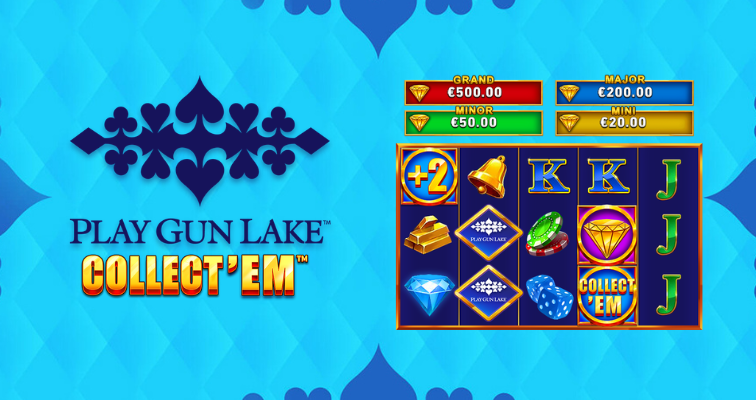
Built for a small screen
Every shelf on our lobby is a swipeable row that shows about two games at a time. The third tile peeks in from the edge so you know there is more to see. Buttons stay on one line and text keeps a comfortable margin, so nothing gets cramped at 375 pixels wide.
A lobby laid out for thumbs
Every part of the mobile layout starts from the narrow screen. Content sits in a single column, shelves scroll sideways and show a little more than two tiles at once, with the next one partly visible to invite a swipe. Panels stack instead of squeezing side by side, and spacing between blocks stays generous so nothing feels crowded. When your phone is held in one hand, the most useful controls sit within easy reach.
Wider screens get more at once. On a tablet or a laptop the same shelves show more tiles per row and the menu bar opens across the top. The structure is identical, so you never have to relearn where things are when you change devices.
Pictures, text and tap targets
Artwork is sized to fill the tile without distorting, and titles stay short enough to read at a glance. Buttons are sized for a finger rather than a mouse pointer, and the call to action in each banner is easy to spot against its background. Text keeps a clear contrast with the ground, which helps in bright daylight as well as indoors.
We keep animation modest. Tiles lift slightly when you hover on a larger screen, and players who prefer reduced motion on their device see none of it. The aim is a calm, fast lobby, not one that tires your eyes.
Menus that get out of the way
On phones the navigation list folds away behind a burger button in the top row, next to the sign-up button. One tap opens it and a second closes it. The help button hides on small screens to save room, and the pages it points to remain reachable from the footer links at the bottom of every page.
Live tables and quick rounds on the go
Live dealer on your phone
Our live casino at Play Gun Lake includes tables such as Speed Baccarat and Blackjack Flappy. The streams adapt to a vertical screen, so you can follow the table without turning your phone. Betting controls sit at the bottom where your thumb already rests.
Live tables work best on a steady connection, so Wi-Fi is a good choice for longer sessions. You can move between a live table and a slot without logging out. Our live dealer page covers the full range of tables in more depth.
Fast games for short sessions
Some titles suit a few spare minutes better than others. Plinko, Mines+ and Penalty Duel give you quick rounds with simple controls. Slots like Fruit Party Deluxe and Hot Fruits 20 are easy to pick up on a small screen.

What you need to play on mobile
| Option | How it works |
|---|---|
| Mobile browser | Open our site in a current browser and sign in to your account |
| iOS app | Install the Play Gun Lake app from the App Store |
| Tablet | Use the browser version, which scales to the larger screen |
Device and browser basics
You do not need a brand new phone to enjoy the site. Any reasonably recent smartphone with a current browser should open the lobby and run the games. Keep your operating system and browser updated, because updates fix display problems and improve speed. If a game looks cramped or slow, closing other apps usually frees enough memory to help.
Storage matters less in the browser, which downloads nothing permanent beyond a small cache. If you choose the App Store route on iOS, leave a little free space for the installation and for later updates. Android players can use the browser in exactly the same way, with the same lobby and the same games.
Connection and data use
A steady connection counts for more than raw speed. Wi-Fi is the safest choice for long sessions, since mobile data can fluctuate when you move between locations. Slot rounds need very little data, while live dealer streams use noticeably more, so keep that in mind if your plan has a monthly cap. If the signal drops during a round, reconnect and reopen the game, and check your balance and history before you carry on.
Avoid public networks without protection when you log in. A private connection, or your own mobile data, keeps your account details safer than an open hotspot in a cafe or station.
Account and age requirements
To play you need an account, and you must be 21 or older to take part in the US market. Use accurate details when you register, and keep your login private. If you share a device with family or friends, log out when you finish. Our terms page explains the rules that apply to every account, and the privacy policy describes how we handle your information.
Key points about our mobile casino
What stays the same on a small screen
Playing with us on a phone does not mean a stripped-down version of the site. The lobby, the shelves of games and the promotions page all follow you onto the handset, arranged for one thumb and one column. You scroll sideways through a shelf, tap a tile, and the game opens. Nothing about the account changes between devices, so you can start a session on a laptop and carry on from the sofa later. We built the Play Gun Lake mobile casino around that idea: one place, any screen.
The menu folds into a burger button in the top row so the games get the space. The search field sits above the first shelf, which makes it quick to find a title you already know. Buttons are large enough to hit without zooming, and text keeps a comfortable margin on both sides. These small choices add up when you play on a bus, in a queue or on a break.
Where the app fits in
Some players prefer an icon on the home screen over a browser tab. For them there is the App Store route on iOS, which we mention as part of how we reach phones. The app is a convenience, not a requirement, because the browser version carries the same lobby and the same catalogue. Choose whichever feels natural for your habits and your device.
If you are unsure which way to go, start in the browser. It needs no download, takes up no storage and lets you judge the layout before you commit to anything on your phone. Many players stay there for good, and that is a perfectly fine way to play with us.
Playing with a clear head
A phone is always within reach, which makes it easy to play longer than planned. Set a time and a budget before you open the lobby, and stop when either runs out. Players in the US must be 21 or older, and our responsible gambling page explains the tools and the support organisations available if play stops being fun. Treat every session as entertainment, never as income.
The games behind the screen
Studios and catalogue
Our games include titles from Playtech alongside the slots shown on our shelves. The catalogue covers fruit machines, bonus-buy slots, Plinko-style games, poker variants and live tables. Every title in it is playable on a phone.
Visit Play Gun Lake any time to see what is new on the lobby shelves. Our slots page lists the full range for browsing, and our promotions page explains the current welcome offer in detail.
Slots you can open in a tap
The slot shelf is the busiest part of the lobby. Titles such as Sweet Bonanza, Gates of Olympus and Fruit Party Deluxe sit alongside quick-play games like Plinko and Mines+. Each tile opens its game directly, so there is no extra menu between you and the first spin. If you want something specific, the search field above the shelf filters the tiles as you type.
Slot rounds suit a phone well. They are short, they need little data and you can pause between spins without losing anything. Pick a game that matches your mood, from bright fruit themes to adventure and Egyptian settings, and keep your stakes within a budget you decided in advance.
Live dealer on the move
For a different pace, our live section includes titles such as Speed Baccarat and Blackjack Flappy. These games stream from a table, so a steady connection helps. Turn your phone sideways for a wider view of the table, and keep an eye on the clock, because live rounds move at the dealer's pace rather than yours. Our live dealer page describes how this part of the site is organised.
Welcome offer and how to use it
New players see our welcome offer in the opening band of the lobby: 250 BONUS SPINS UP TO $500 BONUS BACK. Read the conditions on the promotions page before you claim anything, so you know how the offer works and which games it covers. Our bonus types and wagering requirements pages explain the terms that usually come with offers like this one. Claim only what you understand, and remember that every bonus is an extra on top of play you already enjoy, not a reason to stake more.

Keeping your phone play safe
Protecting your account
Your phone holds a lot of personal information, so treat it carefully. Set a screen lock, choose a strong and unique password, and never save your login on a shared device. If you lose your phone, change your password as soon as you can from another device. Log out after each session when other people may pick up your handset, and keep your operating system updated so known weaknesses are closed.
Be careful with messages that claim to come from us and ask for your password or payment details. We write to players only about their own accounts, and no genuine message needs your full login. If something looks wrong, close it and open the site yourself from your bookmarks.
Staying in control of your time
Because a phone is always with you, it is easy to play in moments you meant to spend elsewhere. Decide in advance how long and how much, and keep to it. Take regular breaks, and step away if you notice you are chasing losses or playing to change your mood. Our responsible gambling page describes tools and organisations that can help, including ways to limit or pause play. You must be 21 or older to play, and gambling should always remain entertainment.
If you ever feel play is becoming a problem, talk to someone you trust and use the support options described on that page. Stopping early is always a good decision, and there is no pressure on you to continue.
Mobile casino questions
Does Play Gun Lake have an app for Android and iOS?
We offer an iOS app through the App Store. On Android, you can play in your mobile browser using the same account.
How do I access the casino on mobile?
Open our site in your phone's browser or launch the app on iOS, then sign in with your account details.
Can the games be played in the mobile browser?
Yes. Our slots and live tables load in a current mobile browser, with the layout adjusted for a narrow screen.
What are the device requirements?
You need a recent phone or tablet with a current browser and a steady internet connection. The app is installed through the App Store on iOS.